Styling with XML
Setup
-
Create a new word document in Microsoft Word
-
Customize the styles on the Ribbon Bar. For example, modify the
Normal,Heading 1,Heading 2like so: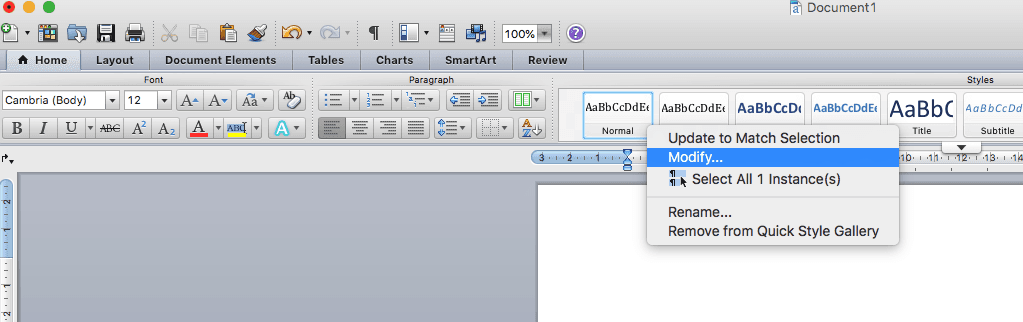
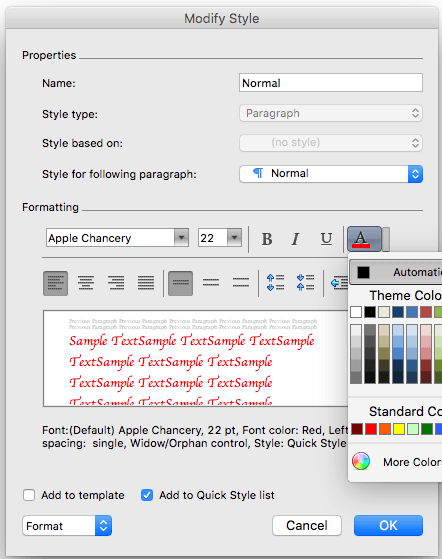
Note: Font and color selection from the theme are currently not supported.
-
You can even create a totally new
Style: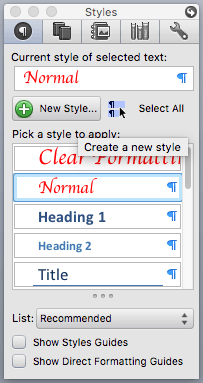
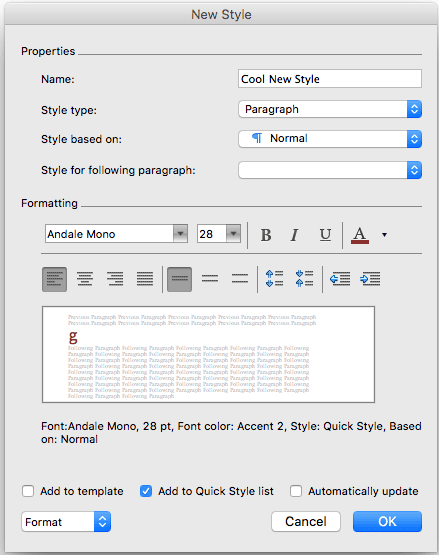
Note: When selecting the style type, it is important to consider the component being used.
-
Save
-
Re-name the saved
.docxfile to.zipand un-zip -
Find
styles.xml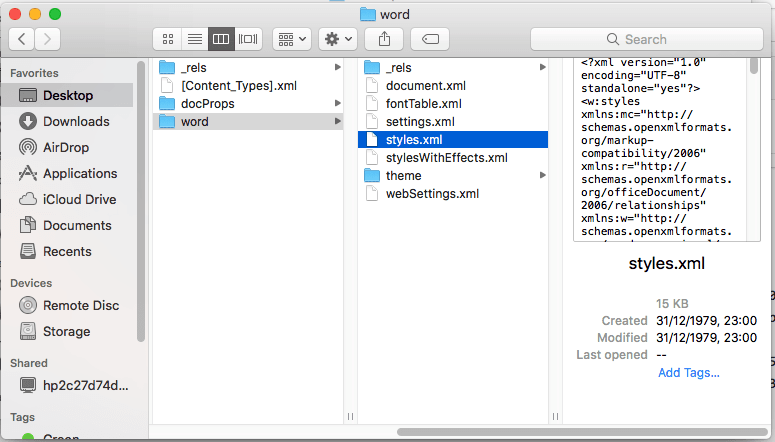
Usage
Read the styles using fs, and put it into the Document object in the constructor:
const styles = fs.readFileSync("./styles.xml", "utf-8");
const doc = new docx.Document({
    title: "Title",
    externalStyles: styles,
});
You can use paragraphs, heading1(), heading2() etc and it will be styled according to your styles.xml created earlier. You can even use your new style you made by calling the style method:
doc.createParagraph("Cool Heading Text").heading1();

const paragraph = new docx.Paragraph(
    'This is a custom named style from the template "Cool New Style"',
);
paragraph.style("Cool New Style");
doc.add(paragraph);

doc.createParagraph("Some normal text");
Example: https://github.com/dolanmiu/docx/blob/master/demo/13-xml-styles.ts