Paragraph
Everything (text, images, graphs etc) in OpenXML is organized in paragraphs.
Paragraphs requires an understanding of Sections.
You can create Paragraphs in the following ways:
Shorthand
import { Paragraph } from "betterdocx";

const paragraph = new Paragraph("Short hand Hello World");
Children Method
This method is useful for adding different text with different styles, symbols, or adding images inline.
const paragraph = new Paragraph({
    children: [new TextRun("Lorem Ipsum Foo Bar"), new TextRun("Hello World"), new SymbolRun("F071")],
});
Explicit
const paragraph = new Paragraph({
    text: "Short hand notation for adding text.",
});
After you create the paragraph, you must add the paragraph into a section:
const doc = new Document({
    sections: [{
        children: [paragraph],
    }];
});
Or the preferred convention, define the paragraph inside the section and remove the usage of variables:
const doc = new Document({
    sections: [{
        children: [
            new Paragraph({
                children: [new TextRun("Lorem Ipsum Foo Bar"), new TextRun("Hello World")],
            }),
        ],
    }];
});
Options
This is the list of options for a paragraph. A detailed explanation is below:
| Property | Type | Mandatory? | Possible Values |
|---|---|---|---|
| text | string | Optional | |
| heading | HeadingLevel | Optional | HEADING_1, HEADING_2, HEADING_3, HEADING_4, HEADING_5, HEADING_6, TITLE |
| border | IBorderOptions | Optional | top, bottom, left, right, between. Each of these are of type IBorderPropertyOptions. Click here for Example |
| spacing | ISpacingProperties | Optional | See below for ISpacingProperties |
| outlineLevel | number | Optional | |
| alignment | AlignmentType | Optional | START, CENTER, END, BOTH, MEDIUM_KASHIDA, DISTRIBUTE, NUM_TAB, HIGH_KASHIDA, LOW_KASHIDA, THAI_DISTRIBUTE, LEFT, RIGHT, JUSTIFIED |
| heading | HeadingLevel | Optional | |
| bidirectional | boolean | Optional | |
| thematicBreak | boolean | Optional | |
| pageBreakBefore | boolean | Optional | |
| contextualSpacing | boolean | Optional | |
| indent | IIndentAttributesProperties | Optional | |
| keepLines | boolean | Optional | |
| keepNext | boolean | Optional | |
| children | (TextRun or ImageRun or Hyperlink)[] | Optional | |
| style | string | Optional | |
| tabStop | { left?: ITabStopOptions; right?: ITabStopOptions; maxRight?: { leader: LeaderType; }; center?: ITabStopOptions } | Optional | |
| bullet | { level: number } | Optional | |
| numbering | { num: ConcreteNumbering; level: number; custom?: boolean } | Optional | |
| widowControl | boolean | Optional | |
| frame | IFrameOptions | Optional |
Text
This is the text in a paragraph. You can also add text by using the Paragraph shorthand (mentioned above) or adding children.
Example:
const paragraph = new Paragraph({
    text: "Hello World",
});
Heading
Example:
Setting a Heading 1 paragraph with "Hello World" as it's text:
const paragraph = new Paragraph({
    text: "Hello World",
    heading: HeadingLevel.HEADING_1,
});
Border
Add borders to a Paragraph. Good for making the Paragraph stand out. Border top and border bottom can be used as a horizontal rule (also known as horizontal line).
IBorderPropertyOptions
top, bottom, left, right, between of the border
| Property | Type | Notes |
|---|---|---|
| color | string | Required |
| space | number | Required |
| style | string | Required |
| size | number | Required |
Example:
Add border on the top and the bottom of the paragraph
const paragraph = new Paragraph({
    text: "I have borders on my top and bottom sides!",
    border: {
        top: {
            color: "auto",
            space: 1,
            style: "single",
            size: 6,
        },
        bottom: {
            color: "auto",
            space: 1,
            style: "single",
            size: 6,
        },
    },
});
Shading
Add color to an entire paragraph block
const paragraph = new Paragraph({
    text: "shading",
    shading: {
        type: ShadingType.REVERSE_DIAGONAL_STRIPE,
        color: "00FFFF",
        fill: "FF0000",
    },
});
Widow Control
Allow First/Last Line to Display on a Separate Page
const paragraph = new Paragraph({
    text: "shading",
    widowControl: true,
});
Spacing
Adding spacing between paragraphs
ISpacingProperties
| Property | Type | Notes | Possible Values |
|---|---|---|---|
| after | number | Optional | |
| before | number | Optional | |
| line | number | Optional | |
| lineRule | LineRuleType | Optional | AT_LEAST, EXACTLY, EXACT, AUTO |
Note: The lineRule property has different values depending on the version of Word you are using. The EXACTLY value is only available in Word 2016 and above. Use EXACT for greater support, including LibreOffice etc. Read this issue for more information: https://github.com/dolanmiu/docx/issues/1773.
Example:
Add spacing before the paragraph:
const paragraph = new Paragraph({
    text: "Paragraph with spacing before",
    spacing: {
        before: 200,
    },
});
Outline Level
Example:
const paragraph = new Paragraph({
    outlineLevel: 0,
});
Styles
To create styles, please refer to the styling documentation
TODO replace this image Word 2013 Styles men
Headings and titles
import { HeadingLevel, Paragraph } from "betterdocx";

const paragraph = new Paragraph({
    text: "Hello World",
    heading: HeadingLevel.TITLE,
});
Text Alignment
To change the text alignment of a paragraph, add an AlignmentType option on the paragraph.for center, left, right or justified:
Example:
const paragraph = new Paragraph({
    text: "Hello World",
    heading: HeadingLevel.HEADING_1,
    alignment: AlignmentType.CENTER,
});
The above will create a heading 1 which is centered.
Justified text with breaks
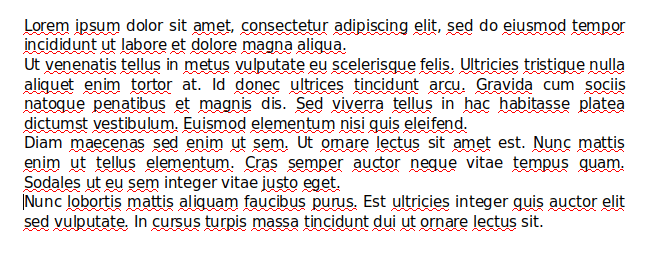
When a paragraph is justified, you may want to not justify the contents of incomplete lines, which end in a soft line break.
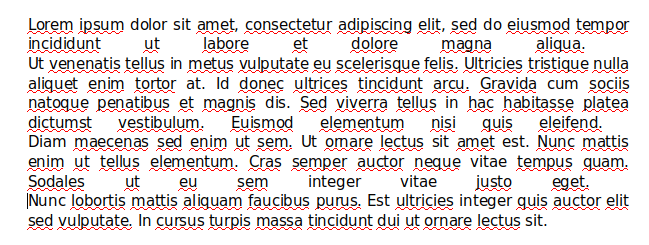
This is possible to achieve using:
this.doc.Settings.addCompatibility().doNotExpandShiftReturn();The result is:
Thematic Break
To add a thematic break in the Paragraph:
const paragraph = new docx.Paragraph("Amazing Heading");
const paragraph = new Paragraph({
    text: "Amazing Heading",
    heading: HeadingLevel.HEADING_1,
    thematicBreak: true,
});
The above example will create a heading with a page break directly under it.
Page Break
To move to a new page (insert a page break):
const paragraph = new docx.Paragraph({
    children: [new TextRun("Amazing Heading"), new PageBreak()],
});
The above example will create a heading and start a new page immediately afterwards.
Page break before:
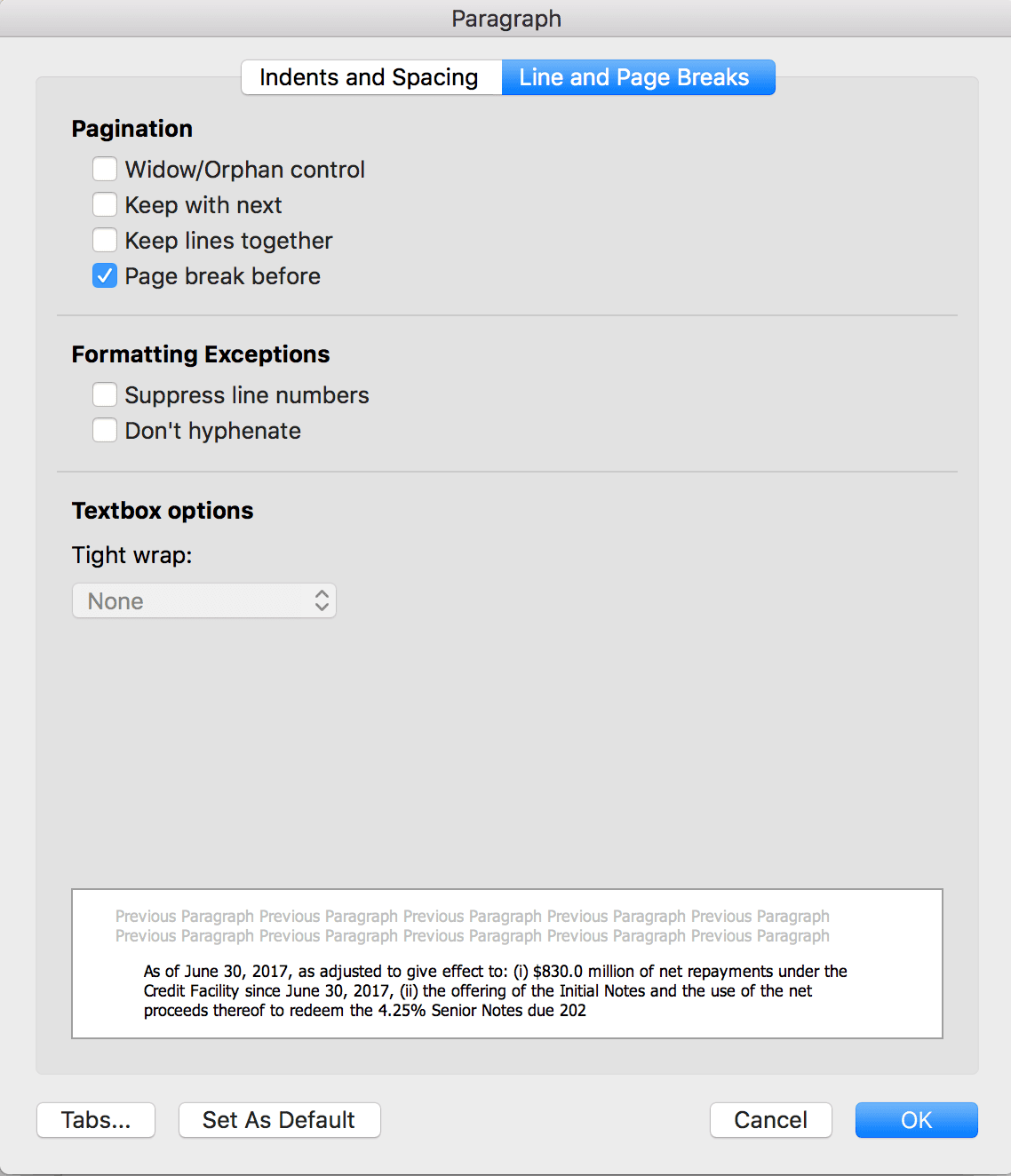
This option (available in word) will make sure that the paragraph will start on a new page (if it's not already on a new page).
const paragraph = new Paragraph({
    text: "Hello World on another page",
    pageBreakBefore: true,
});
Example: https://github.com/dolanmiu/docx/blob/master/demo/15-page-break-before.ts
Page break control
Paragraphs have keepLines and keepNext properties that allow restricting page breaks within and between paragraphs. See this Microsoft article for more details.
const paragraph = new Paragraph({
    text: "Stay on the same page",
    keepLines: true,
    keepNext: true,
});